
Support > How to enable Advanced Mode (Lite)
How to enable Advanced Mode (Lite)
Please follow the steps below to install the app:
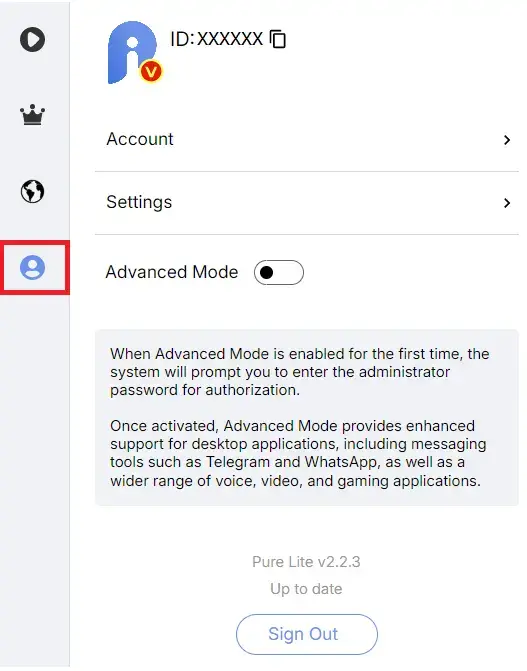
Step 1
In the right-side menu, click the account icon.
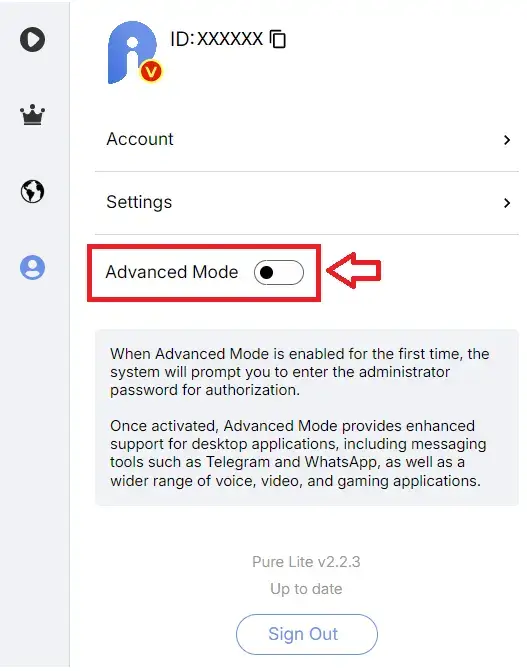
Step 2
Turn on Advanced Mode.
Step 3
The operation will require administrator privileges. Please allow permission or enter your password to grant access.
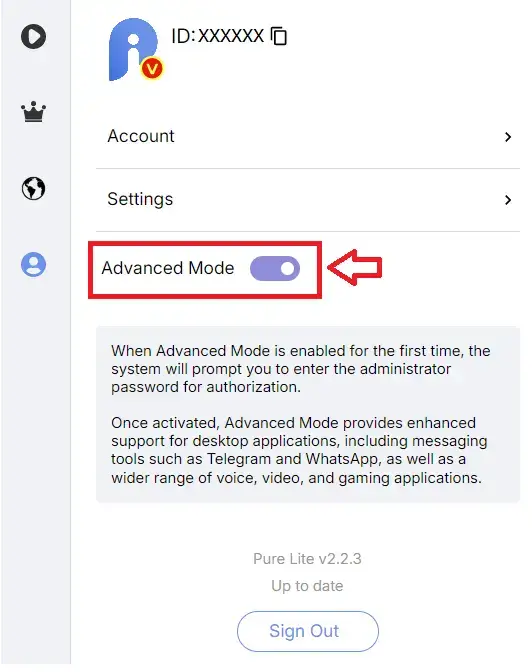
Step 4
Confirm that Advanced Mode is enabled.
Step 5
Select your VPN server and connect. Note: The connection and setup may be slower than in normal mode. After connecting, it may take about 10 seconds before you can access the internet normally.